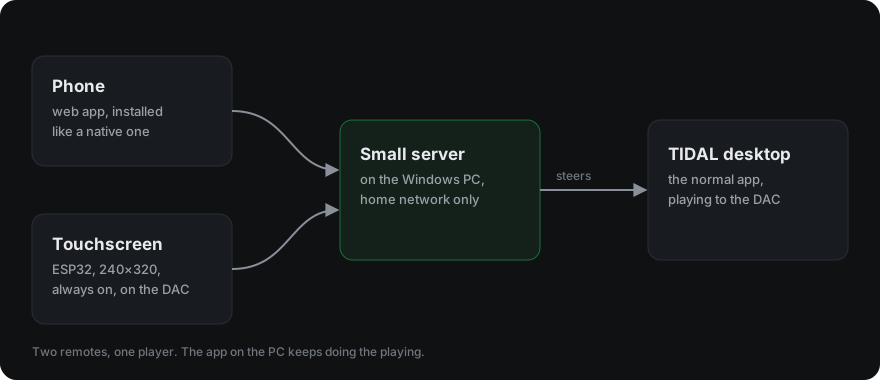
My music plays from a Windows PC into an SMSL D6S DAC. The player is the TIDAL desktop app. TIDAL Connect, the feature that is supposed to let your phone steer it, doesn't work for my setup, and there is no other official remote for the desktop app.
For a long time I controlled TIDAL over Remote Desktop. It works, but opening a whole desktop session to pause a song is a lot of ceremony. What I wanted was a dedicated remote, and I got there in two steps.
First answer: a phone web app
The first step was a small server on the PC that sits next to the TIDAL app and takes orders from the network. On top of it, a web app that installs on the phone like a native one.
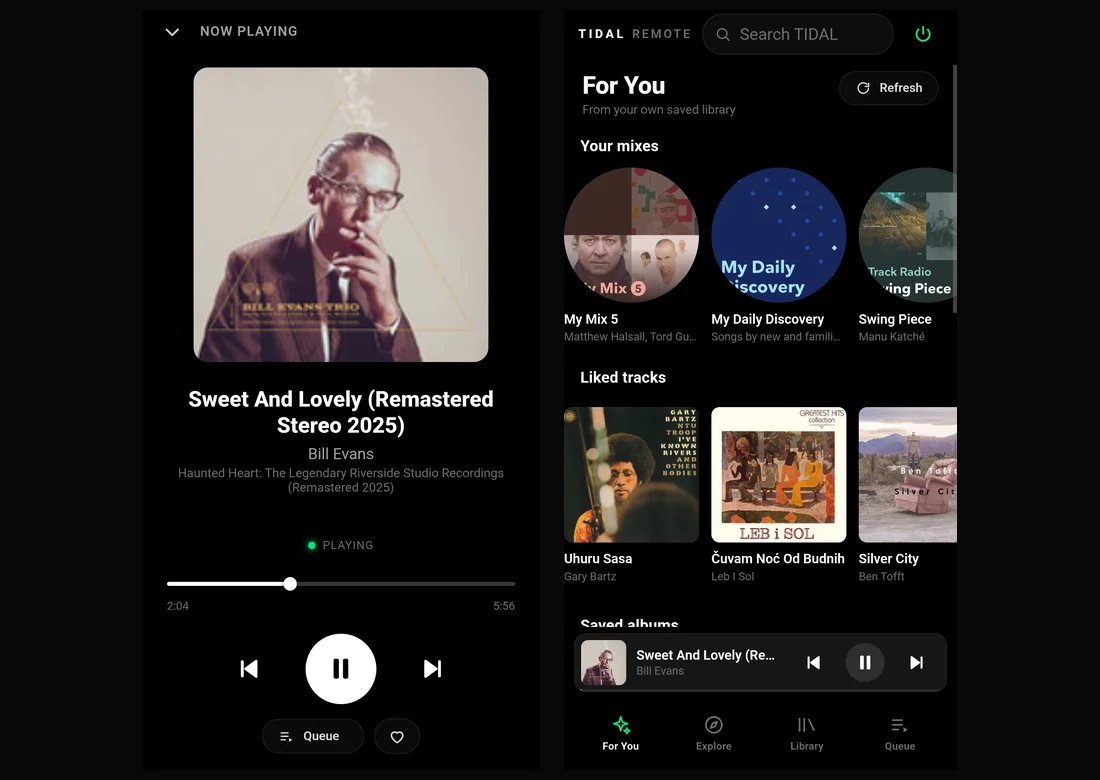
It started with play, pause, skip and seek, and kept growing: search, the queue, browse pages for albums, playlists, mixes and artists, and hearts. No second TIDAL account, no password typed anywhere new. The app on the PC stays the player; the phone just steers it.
All of it lives on my home network. There is no public demo and no address to try, on purpose: the server can play, search and read my library, and that's nobody else's business.
Second answer: a dedicated board
I wanted something always on, always showing what's playing, sitting on top of the DAC. The ESP32-2432S024, one of the "Cheap Yellow Display" boards, is exactly that: an ESP32 with Wi-Fi, a 2.4 inch 240×320 screen with resistive touch and a microSD slot, on one small PCB.
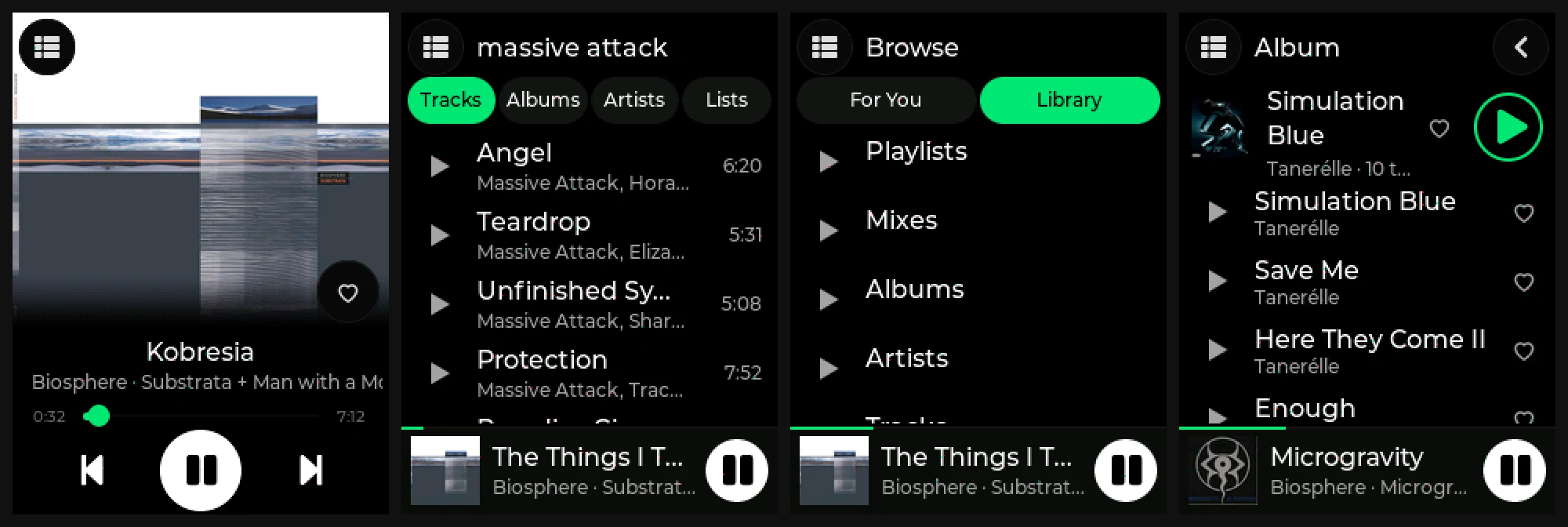
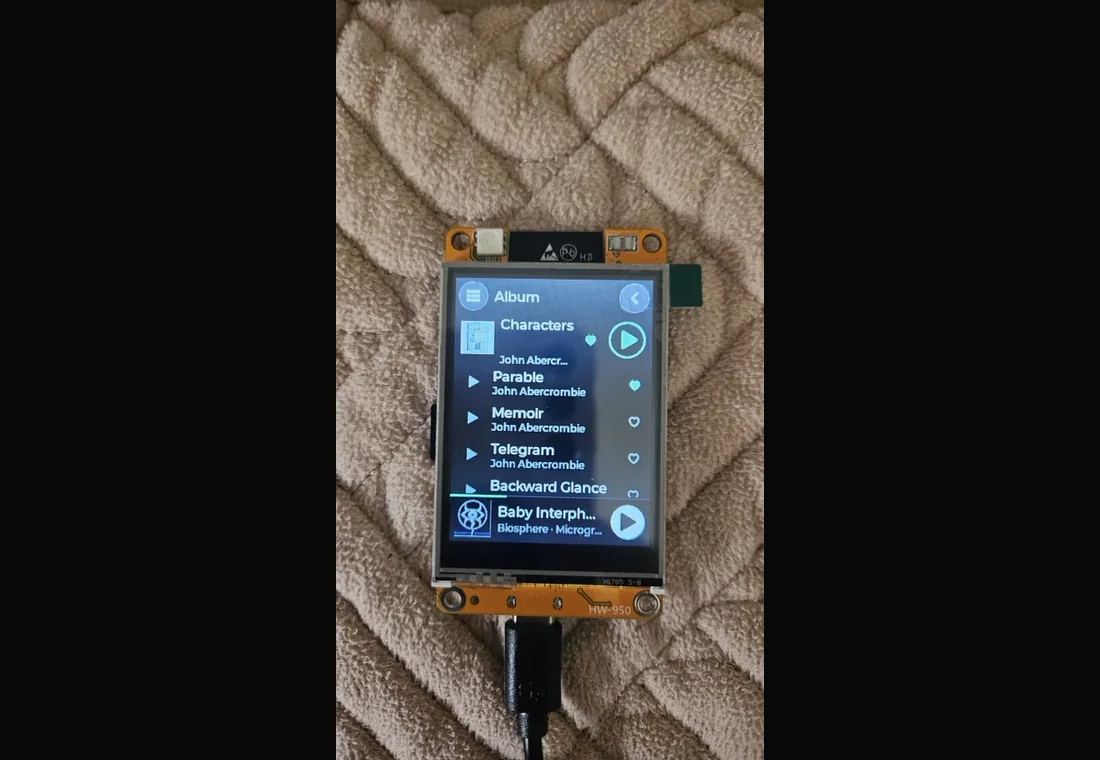
Before writing any firmware I sketched what it could become. The sketch below, and the left half of the picture after it, are AI concept renders, not the real thing:
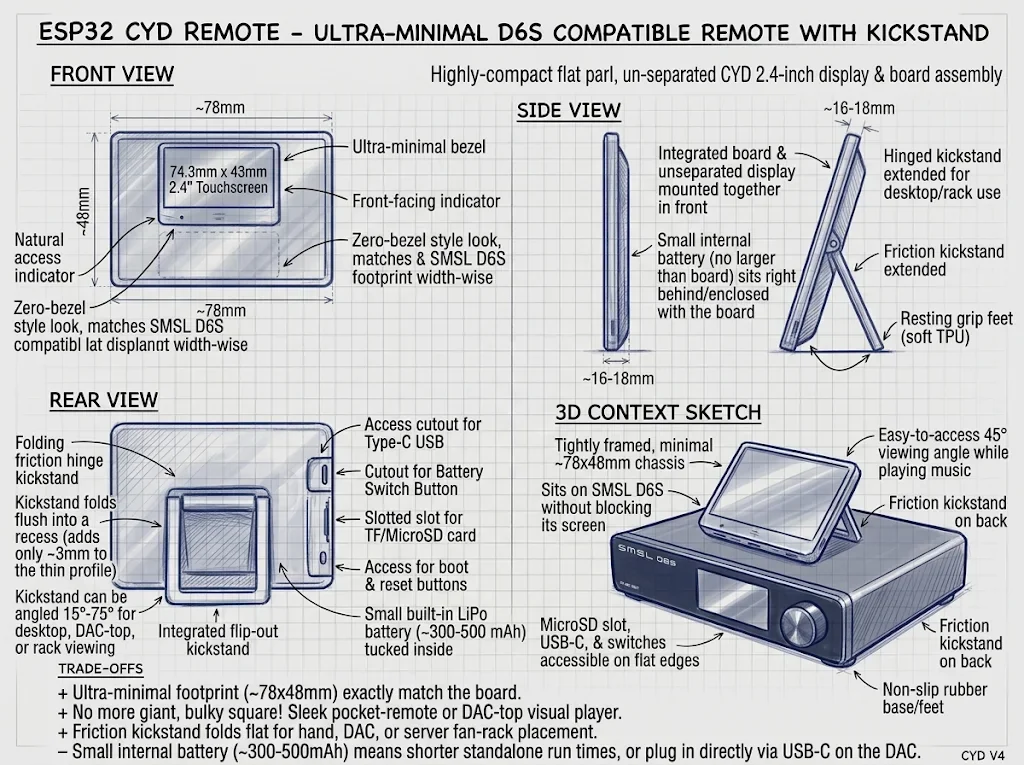
Reality, on the right, is a bare yellow board on a USB cable, for now.
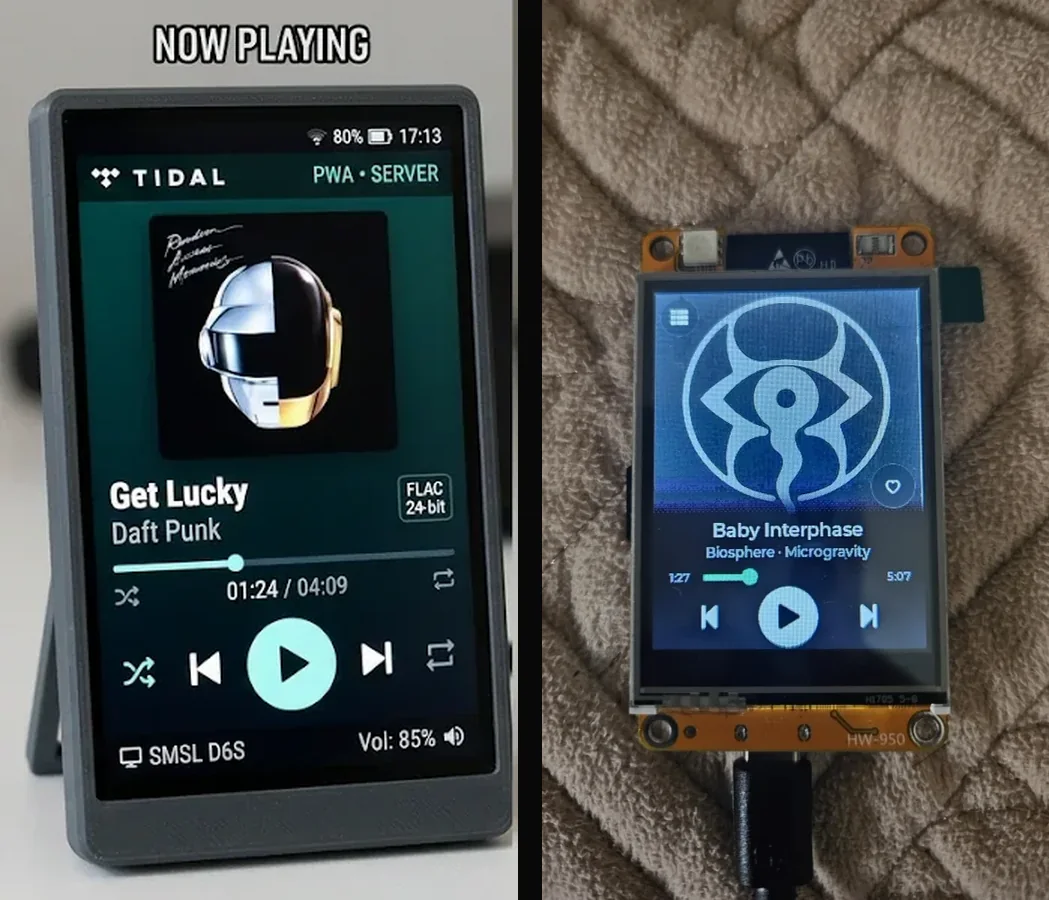
It talks to the same server as the phone, a second remote for the same player. The board has the screens that matter from across the room: player, queue, search and browse.
Where it stands
The board does what I need every day: play and pause, skip, the queue, search, and browsing albums, playlists, mixes, artists and hearts. A few things from the phone app, like Explore and genres, aren't on it yet. The case is still a drawing.
What I'd keep from this: let the PC do the heavy work. The board asks small questions, shows what it is given and stays quick to the touch. One server, two very different remotes.